Command run no work

Detonate

New member
Joined
Jan 13, 2025
Messages
3
Reaction score
0
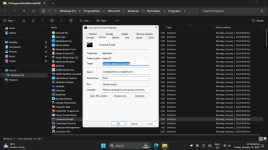
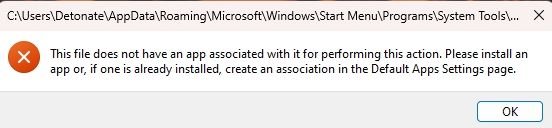
I upgraded from Windows 10 to Windows 11. If I want to open the run command as administrator, it gives me the error below.
I've tried all kinds of tutorials, nothing works. sfc /scannow, all with Dism /Online /Cleanup-Image /ScanHealth, Dism /Online /Cleanup-Image /CheckHealth etc
Anyone help me?
 

Attachments

  • 14-01-2025 (002).jpg
    14-01-2025 (002).jpg
    17.2 KB · Views: 5

Xploit Machine

私の人生の中で孤独な旅人
Administrator
Joined
Nov 29, 2022
Messages
1,354
Reaction score
121
Tried .. Settings -> Apps - Installed Apps and find the specific application and run REPAIR / RESET?
 

Vote:

Grizzly

Well-known member
Joined
Jun 9, 2021
Messages
351
Reaction score
106
Looks like the shortcut for the command prompt is damaged. go to
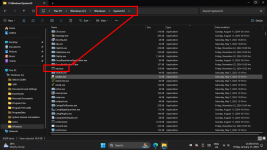
%windir%\system32\ and look for the cmd.exe. try to start it. if successful, create a shortcut and replace
the one you have. If not follow the advice of Xploit Machine
 

Vote:

Xploit Machine

私の人生の中で孤独な旅人
Administrator
Joined
Nov 29, 2022
Messages
1,354
Reaction score
121
This is where the original file located .. manually point to C:\Windows\System32\ and double click the CMD.EXE file to see if it works ..

1737122253329.png
 

Vote:
Top